Deploying Databases
QuickStack makes it easy to deploy popular databases using pre-configured templates. These templates set up the database with persistent storage, secure defaults, and necessary environment variables.
Available Databases
QuickStack currently supports the following database templates:
- PostgreSQL: The world's most advanced open source relational database.
- MySQL: The world's most popular open source database.
- MariaDB: An enhanced, drop-in replacement for MySQL.
- MongoDB: The most popular database for modern apps.
Deployment Steps
Follow these steps to deploy a new database instance in your project.
1. Initiate Creation
Navigate to your project dashboard and click the Create App button in the top right corner. From the dropdown menu, select Database.

2. Select Database Type
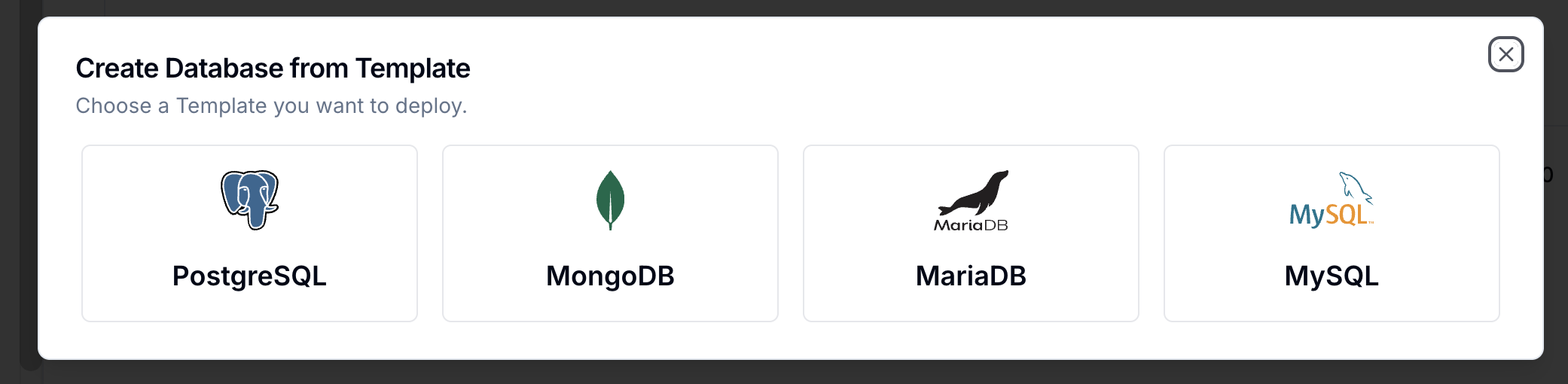
A dialog will appear showing the available database templates. Click on the database you wish to deploy (e.g., PostgreSQL).
3. Configure Settings
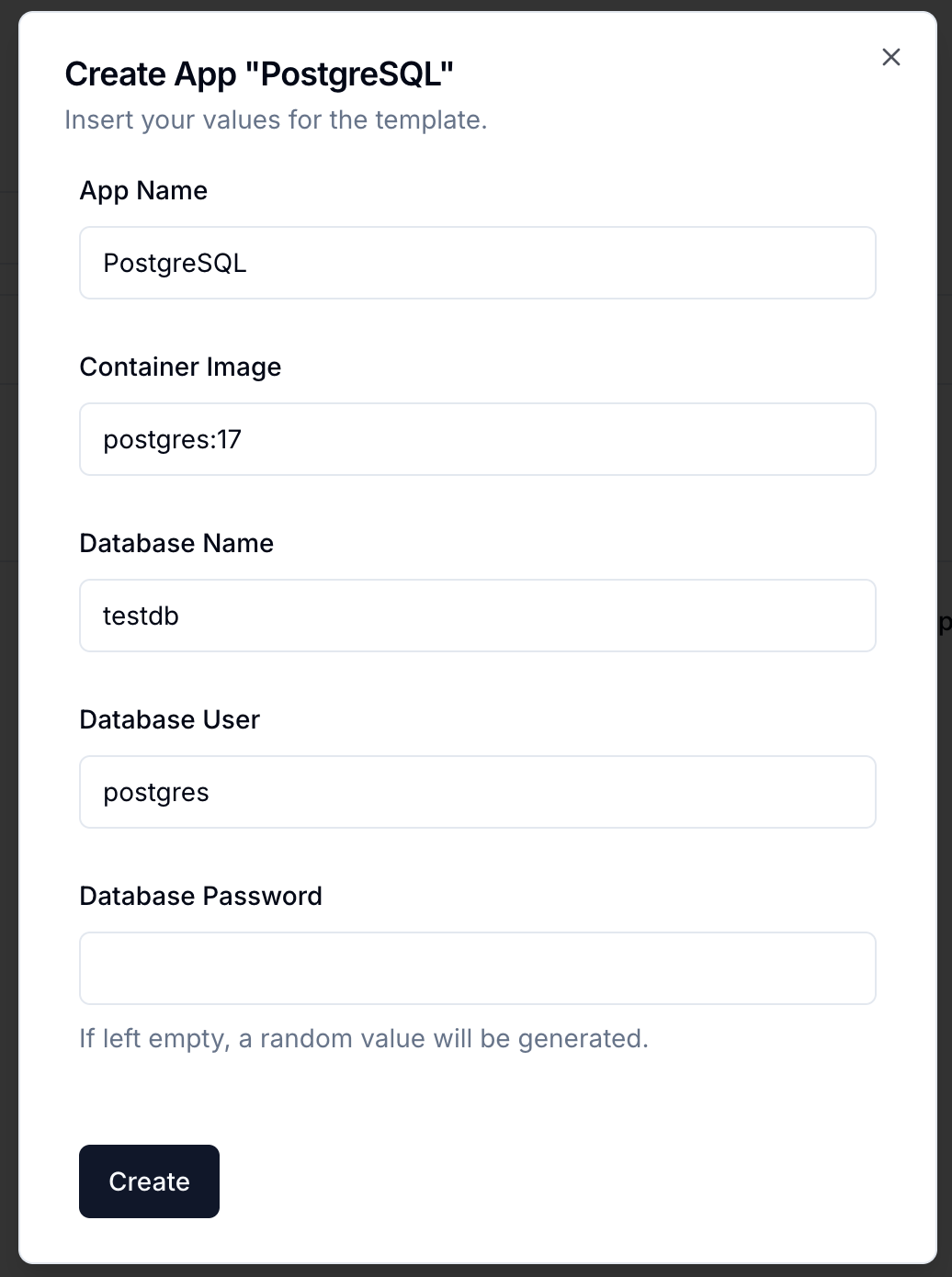
After selecting a database, you will be prompted to configure the instance. The available settings may vary slightly depending on the database, but typically include:
- App Name: A unique name for your database application (e.g.,
my-postgres-db). - Password: A secure password for the default user (usually
postgresorroot). You can use the generate button to create a strong random password. - Volume Size: The size of the persistent storage volume (e.g.,
10Gi).
4. Deploy
Review your settings and click Create. QuickStack will now:
- Provision the persistent volume.
- Deploy the database container.
- Configure the service and internal networking.
Once the deployment is complete, your database will be available within your project's network.
Connecting to your Database
Internal Access
Other applications within the same project can connect to the database using its Service Name.
- Hostname:
svc-<app-id>(You can find the exact hostname in the app details --> Credentials). - Port: The standard port for the database (e.g.,
5432for PostgreSQL).

Copying the values from the credentials is only available if your QuickStack instance is served over HTTPS.
External Access (not recommended)
By default, databases are not exposed to the public internet for security reasons. If you need to access the database from your local machine (e.g., for development), you can assing a public domain in the Domains tab of the database app settings.